REPO SANDBOX Guides & Walkthroughs
From first loot haul to charged weapons, portal upgrades, and coworker chaos.
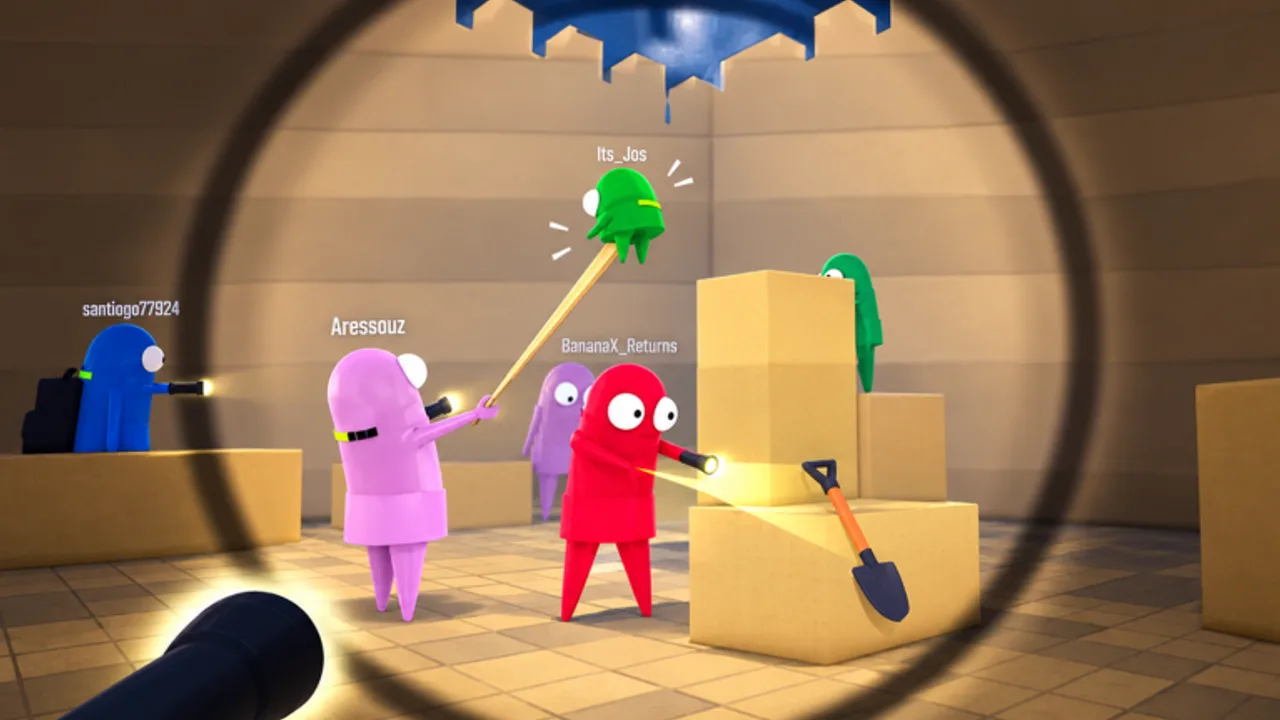
The Guides Hub is the practical map of REPO SANDBOX on Roblox. This unofficial NikkiDZN fan experience—inspired by R.E.P.O. (semiwork) and not affiliated with semiwork—asks you to play as a Semibot, grab valuables, load the extractor, get paid, unlock silly powers, charge weapons, fight coworkers, and customize your robot until the physics take over. Use these guides in order if you are new, or jump straight to combat, map, or upgrade pages if you already know the loop.
Start here
New players should open Getting Started first. It covers day-one priorities: joining the NikkiDZN group for bonus cash (full steps on group bonus), learning the haul rhythm, and avoiding common mistakes that dump valuables before the extractor pays out. Launch from the official game page (place 137909081541454, up to 50 players, free Simulation / Sandbox, released 2025-04-07).
Next, read Controls so grab, move, cart / C.A.R.T. habits, and recharge interactions feel intentional instead of accidental. Then open Map Landmarks so you can find the extractor, recharge stations, and green upgrade portal without asking chat every spawn. Sandbox physics punish sloppy inputs when you go giant or tiny, so muscle memory and landmark memory both matter before you chase meme loadouts.
If search results mixed you up with the Steam title, skim REPO SANDBOX vs R.E.P.O. once so you stop chasing the wrong Discord, codes video, or monster tier list.
Core economy loop
The heart of the experience is documented in Valuables & Extractor. Grab loot, ferry it safely, load the extractor, and cash out. Some extractor-related points have been described as still expanding in updates, so pair that guide with Updates after patches. Clean extractor discipline funds everything else: weapons, portal gambles, and customization.
While you farm, glance at Codes for promo status (none confirmed publicly as of November 2026 research) and keep How to Redeem bookmarked for when a real string drops. The reliable early edge is group bonus cash, not empty code tables.
Weapons, upgrades, and customization
Combat depth lives in Weapons—bats, guns, melee options, and recharge stations that gate uptime. Learn charge timing before you blame the gun. Permanent power fantasy lives in Upgrades, centered on the green map portal’s random permanent rolls. Some removers may cost Robux; the guide calls out free-to-play caution so you do not panic-spend. For looks, silhouette habits, and what the free Creator Store REPO rig is (and is not), read Customization.
When you want ranked opinions instead of how-to detail, switch to the Tier List Hub, then the Weapons Tier List and Upgrades Tier List. For a planning scratchpad, use the Loadout Helper.
PvP and chaos sessions
Coworker fights are part of the fantasy. PvP Tips focuses on denying hauls, contesting extractors, and surviving lobbies that stop being friendly the moment someone finds a charged weapon. Combine PvP advice with size and look knowledge from upgrades and customization—giant silhouettes and tiny hitboxes change peeks and grabs more than raw damage charts admit. Landmark control from the map guide decides whether you contest stations or get third-partied on the way to the extractor.
Suggested learning path
- Getting Started — spawn goals and group bonus cash.
- Controls — inputs, carts, stations.
- Map Landmarks — extractor, stations, green portal.
- Valuables & Extractor — payment loop.
- Weapons, Upgrades, and Customization — spend and look smart.
- PvP Tips — when lobbies turn hostile.
- Optional clarity: vs R.E.P.O., then cross-check tiers and return to Changelog after patches.
Scripts, community, and honesty
If you are tempted by injected tools, read Scripts and Safe Usage first. This wiki does not invent fake loadstrings; dedicated place-specific scripts were not confirmed in research, and universal hubs carry account risk. For creator context and player hangouts, visit Players and Community.
How guides stay useful
Each guide aims for depth over filler: actionable steps, links to sibling pages, and FAQs that match real searches (how to get paid, how to unlock powers, how to charge weapons, how to survive PvP, where landmarks are, how this Roblox sandbox differs from PC R.E.P.O.). When seasonal title branding appears—including fishing-tagged presentation or tracker [EXTRACTOR] labels—mechanics still matter more than the logo skin. Come back to this Guides Hub whenever a patch reshapes extractor rules, portal odds, or weapon charge behavior, and follow links rather than memorizing a single outdated tip.
Play the sandbox, experiment on purpose, and use these walkthroughs to shorten the awkward first hours so you can reach the silly powers faster.
Frequently Asked Questions
Quick answers for Semibots jumping into REPO SANDBOX.
Which guide should I read first?
Start with Getting Started, then Controls, Map Landmarks, and Valuables & Extractor before specializing into weapons, upgrades, customization, or PvP.
Where do I learn weapon charging?
Use the Weapons guide for recharge stations and pacing, then compare picks on the Weapons Tier List.
How do permanent upgrades work?
The Upgrades guide covers the green map portal's random permanent rolls. Some removers may cost Robux—read before you reset. Pair with Customization for silhouette and look habits.
Is this the same as PC R.E.P.O.?
No. Read the vs R.E.P.O. guide: REPO SANDBOX is NikkiDZN’s Roblox Semibot sandbox, not semiwork’s Steam title.
Do these guides replace the tier lists?
No. Guides teach systems; tier lists rank options. Use both, plus the Loadout Helper, for full planning.