REPO SANDBOX Semibot Customization Guide
Look the part — then get back to carts, stations, and the extractor.
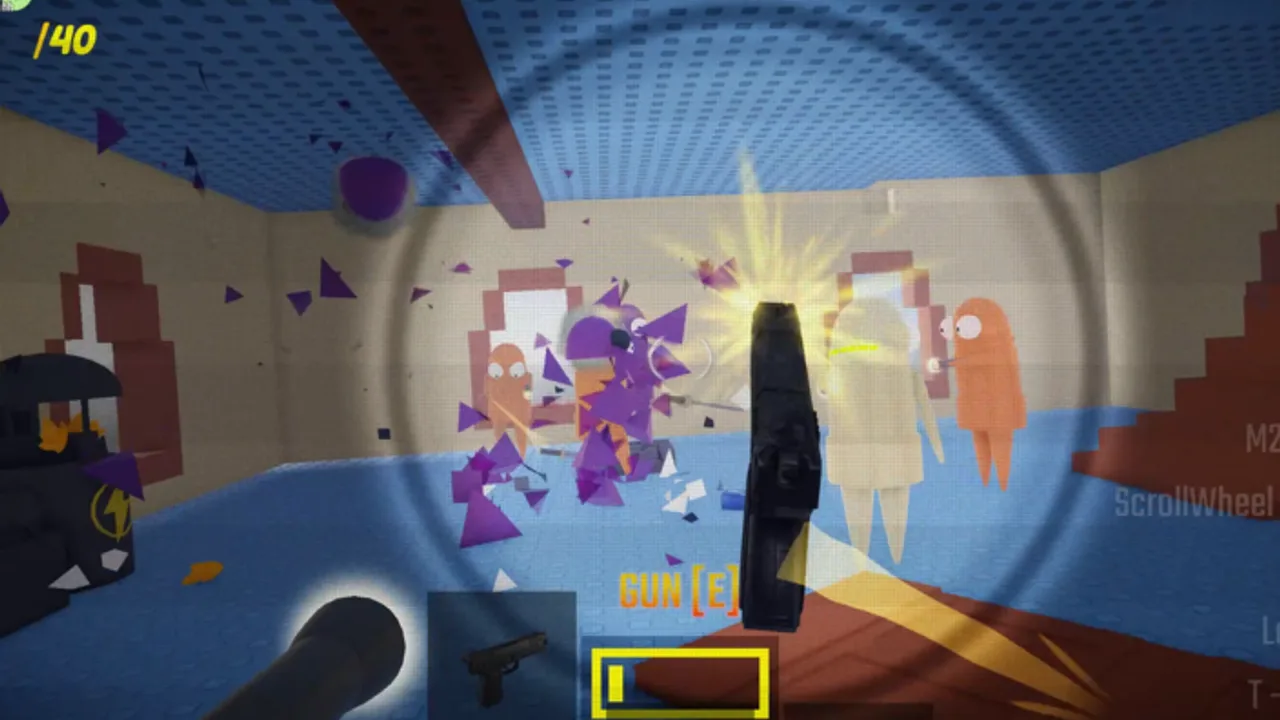
REPO SANDBOX lets you play as a Semibot in NikkiDZN’s Roblox sandbox, and part of the fantasy is looking ridiculous on purpose. This guide covers in-experience customization habits, how permanent upgrades change your silhouette, what the free Creator Store REPO rig is (and is not), and how to avoid spending your whole session in a wardrobe while coworkers steal your cart. Pair it with Getting Started, upgrades, and map landmarks.
Play: REPO SANDBOX. Group cash: NikkiDZN. Unofficial wiki — not affiliated with semiwork.
Customization vs progression (keep the order straight)
- Join the group for bonus cash (group bonus guide).
- Complete one extractor payout (valuables and extractor).
- Learn a recharge station and a haul corridor (map, controls).
- Then tinker with looks and green-portal meme sizes.
Fashion does not deposit valuables. Clip culture loves giant yellow Semibots; cash culture loves robots that still fit through cart paths.
In-game look and color questions
Players frequently ask how to change Semibot color or appearance. Options and menus can shift between live updates, so treat any single screenshot as dated. Practical approach:
- Check in-experience customize / wardrobe / robot UI after spawn.
- Re-open settings if a first-time prompt was dismissed (controls).
- Remember that permanent upgrades (giant, small, health-style rolls) also change how you read on the map — that is customization by chaos, not by paint picker (upgrades).
- If a lobby friend says “go yellow” or “go small,” they usually mean a portal roll or a known look preset, not a PC cosmetic shop from semiwork’s game.
When UI labels move after a Roblox update stamp, re-walk the spawn area once instead of watching unrelated “REPO cosmetics update” PC videos (vs other REPO games).
Size rolls are loadout decisions
Giant and tiny are the most visible “custom” states:
| Roll vibe | Upside | Downside |
|---|---|---|
| Giant | Presence, body-block, meme clips | Bigger hit silhouette, tighter fits on some paths |
| Small | Sneaky angles, awkward peeks | Less intimidation, easy to lose in chaos |
| Health-style / other | Survivability or quirky rules | May conflict with your haul plan |
Some players report Robux removers for unwanted permanent upgrades. Confirm the live prompt; never assume a remover always exists. Ranked opinions: upgrades tier list.
Free REPO rig on the Creator Store (creators, not a secret skin unlock)
NikkiDZN publicly links a free REPO recolorable rig for other Roblox creators (Creator Store asset referenced on the experience page). That model helps people build their experiences. It is not a hidden “equip this asset to win” button inside REPO SANDBOX for players. If someone sells you a “private rig unlock code,” it is a scam — see safe usage and Codes Hub.
Cosmetics, badges, and social flex
Public data highlights a rare SUPPORTER badge associated with the experience. Badges and group membership are social signals; they do not replace extractor skill. Wear your flex, then haul. Community norms: community guide.
Loadout helper mindset for fashionable Semibots
Use the loadout helper so looks do not erase prep:
- Melee ready even in drip
- Station known before charge-gun cosplay
- Cart corridor compatible with your current size
- Extractor approach practiced once this session
- Optional green reroll only after cash is stable
Weapons feel still matter: weapons, weapons tier list.
Mobile players and UI chrome
On phones/tablets, customize menus can be fiddly. Finish one payout loop before diving into every slider. If performance dips in crowded extractor fights, simpler silhouettes and less camera whip help more than a perfect paint job.
After updates
Live maintenance (including Roblox activity around November 2026) can move UI or presentation tags — including occasional fishing-related branding on the experience page. Customization steps may need a fresh look; core loop pages stay authoritative via changelog and Updates Hub.
Related reading
- Guides Hub
- PvP tips — silhouette changes peeks
- Players Hub
- vs other REPO games
Customize enough to feel like your Semibot, then let the extractor fund the next ridiculous look.
Frequently Asked Questions
Quick answers for Semibots jumping into REPO SANDBOX.
How do I change my Semibot color in REPO SANDBOX?
Use the in-experience customize or robot UI after spawn, and remember permanent upgrade rolls can also change your size and silhouette. Menus can move between updates.
Does the free REPO rig give me a special skin in-game?
The free Creator Store REPO rig is for Roblox creators building experiences. It is not a secret player unlock code inside REPO SANDBOX.
Should I customize before learning the extractor?
No. Secure group cash and one payout first, then spend time on looks and green-portal experiments.
Can I remove a bad giant/small upgrade?
Some players report Robux-based removers. Confirm the live prompt in your session before spending.